
Before connection detailing an engineer needs to know two things: how many joints the frame has and which forces act on each of them. At the start there is usually an IFC model without a single joint and an analysis report of hundreds of pages in PDF. Matching them by hand takes weeks and a joint can easily be missed.
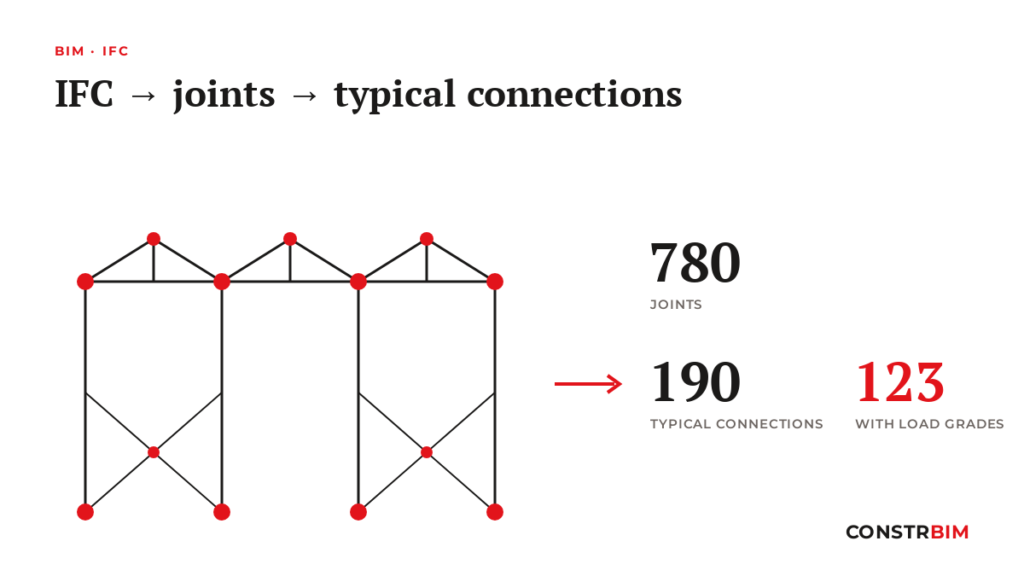
We wrote a script that does it automatically. For example, from the model of an industrial building frame it extracted 780 joints, which reduced to 190 typical connections.
Step 1. Joints from IFC geometry
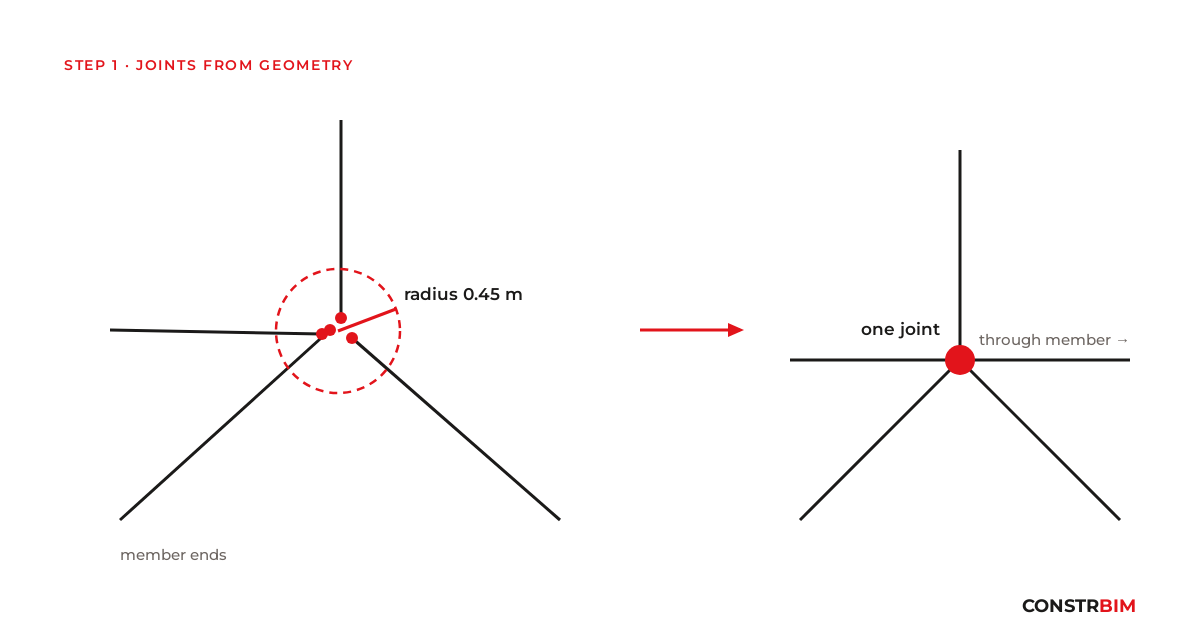
The script, based on ifcopenshell, reads each member of the model as a solid and finds its axis from the distribution of its vertices. Member ends lying closer than 0.45 m to each other are then merged into a joint. Members that run through a joint without ending, and column bases above the foundations, are handled separately.
Each member gets a role — column, truss, bracing, purlin — from the type names in the model. A typical joint is the same set of roles and profiles meeting at one point.
Step 2. Forces from the analysis report
The script reads the tables of support reactions and stress checks from the PDF programmatically. The force diagrams in the report are images that give no numbers, so for the joints we take the reaction envelopes and reduce them to five components: N, Vy, Vz, My, Mz.
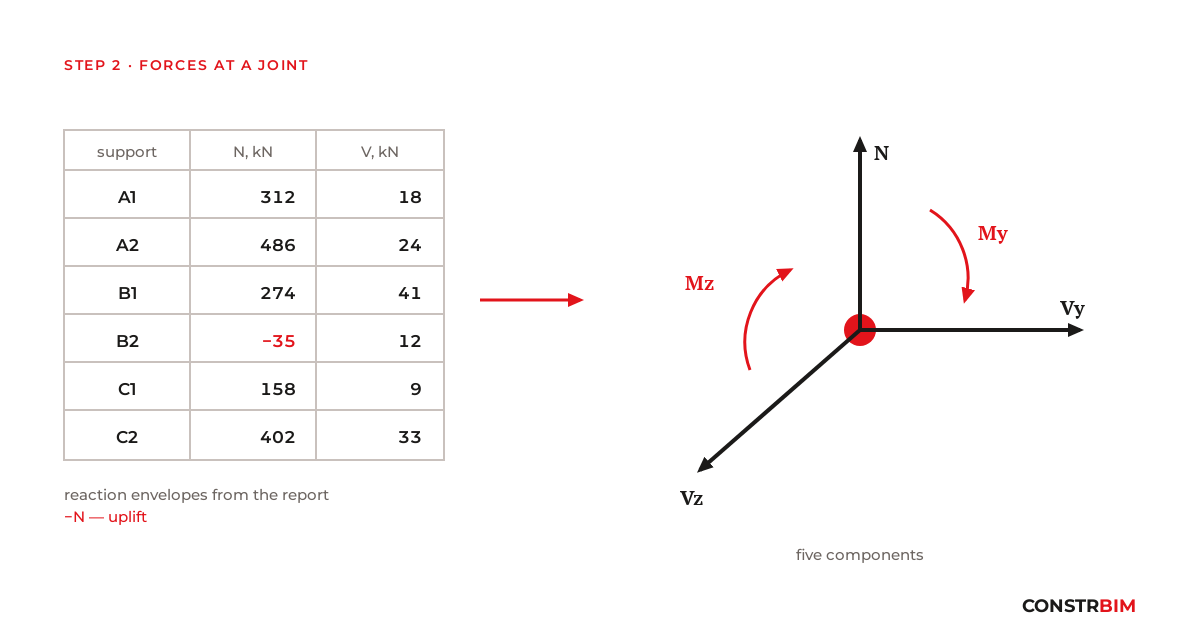
The analysis model and the building model do not always match: the support spacing may be 5.5 m in the analysis and 5.25 m in the model. A reaction then cannot be tied to a specific base by coordinates, so for a column base the script takes the worst force from all frames with the same column profile. This is on the safe side, and no joint is left without a load.
Step 3. Typical joints with load grades
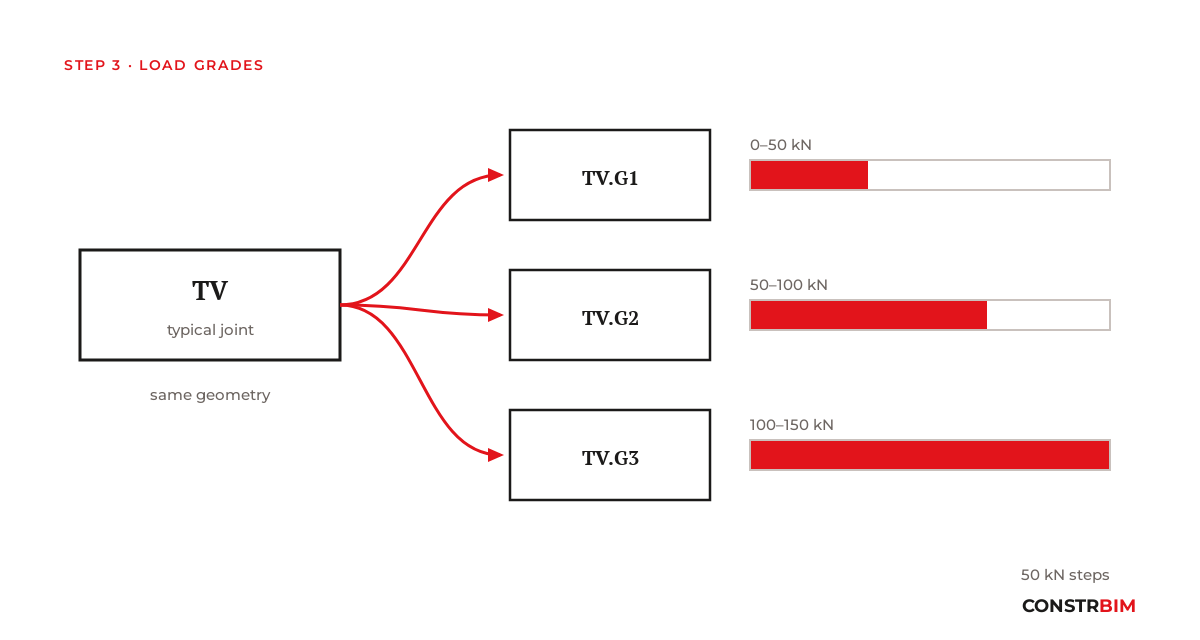
The same geometry does not mean the same connection. The script gives each joint a load grade in 50 kN steps, and the type is split into subtypes. In the example above, 123 of the 190 typical joints had more than one grade. Detailing them all for the worst case would put excess steel into lightly loaded connections.
What the detailing team gets
- A complete list of joints with coordinates and types, with nothing missed.
- Design forces and the number of joints for each type, which gives the scope of work and parts.
- A report in HTML, Word, PDF and Excel that can go to the connection designer or the plant.
The script works for both steel and precast concrete frames: all it needs is an IFC model and tabular analysis results. If you are preparing detailing for a large frame and want to see the full picture of joints first, contact us.
More on this service: Precast detailing and shop drawings. To discuss a project: contacts.
Discuss your project
Tell us about the building or the task: structure type, project stage and the software the model is built in. We reply within one working day.